Bloodweb CSV Exporter Pro for Australia Post
US parcels need 10-digit HS codes. Set them per product.
For WooCommerce stores that lodge with Australia Post through MyPost Business, ship overseas, and sell more than one kind of product.
Add-on for the free Bloodweb CSV Exporter for Australia Post
One store-wide code isn’t enough any more
Since 24 July 2026, Australia Post has needed a 10-digit HS code on every item going to the US, and parcels with a 6 or 8-digit code may be returned. The free exporter writes one store-wide description and HS code onto every parcel. That works for a shop that sells one kind of thing. A store that sells candles and tea towels needs the right code on each line.
Pro puts the customs details on the product, so a mixed parcel declares each item correctly, and it tells you before you download a manifest if anything bound for the US is missing its 10-digit code.
Source: Australia Post, US tariff changes.
See it in WooCommerce
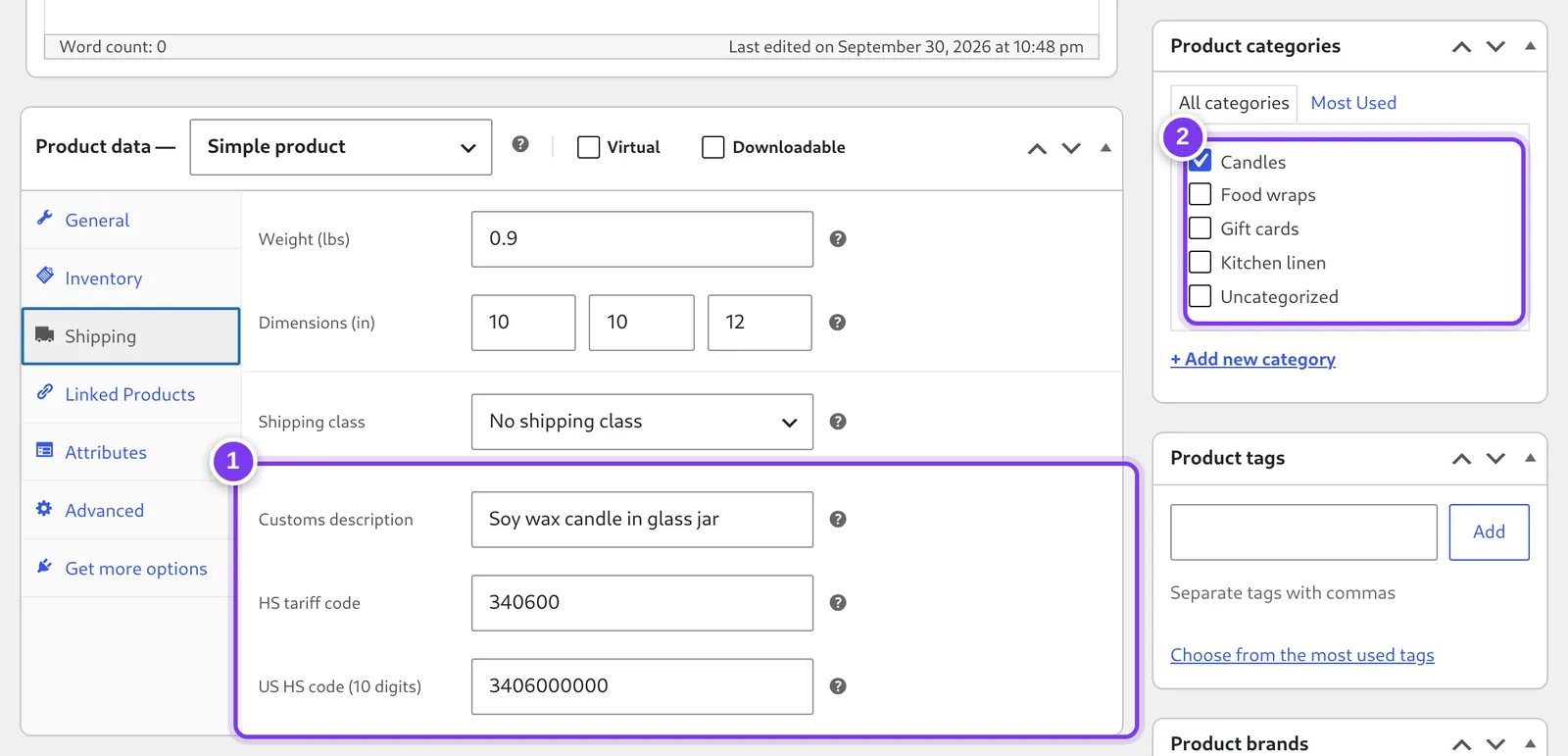
- A customs description, HS tariff code and 10-digit US HS code on the product’s Shipping tab. A variation can carry its own.
- Or set them once on a category: products without values of their own use the category’s, then your store-wide values.
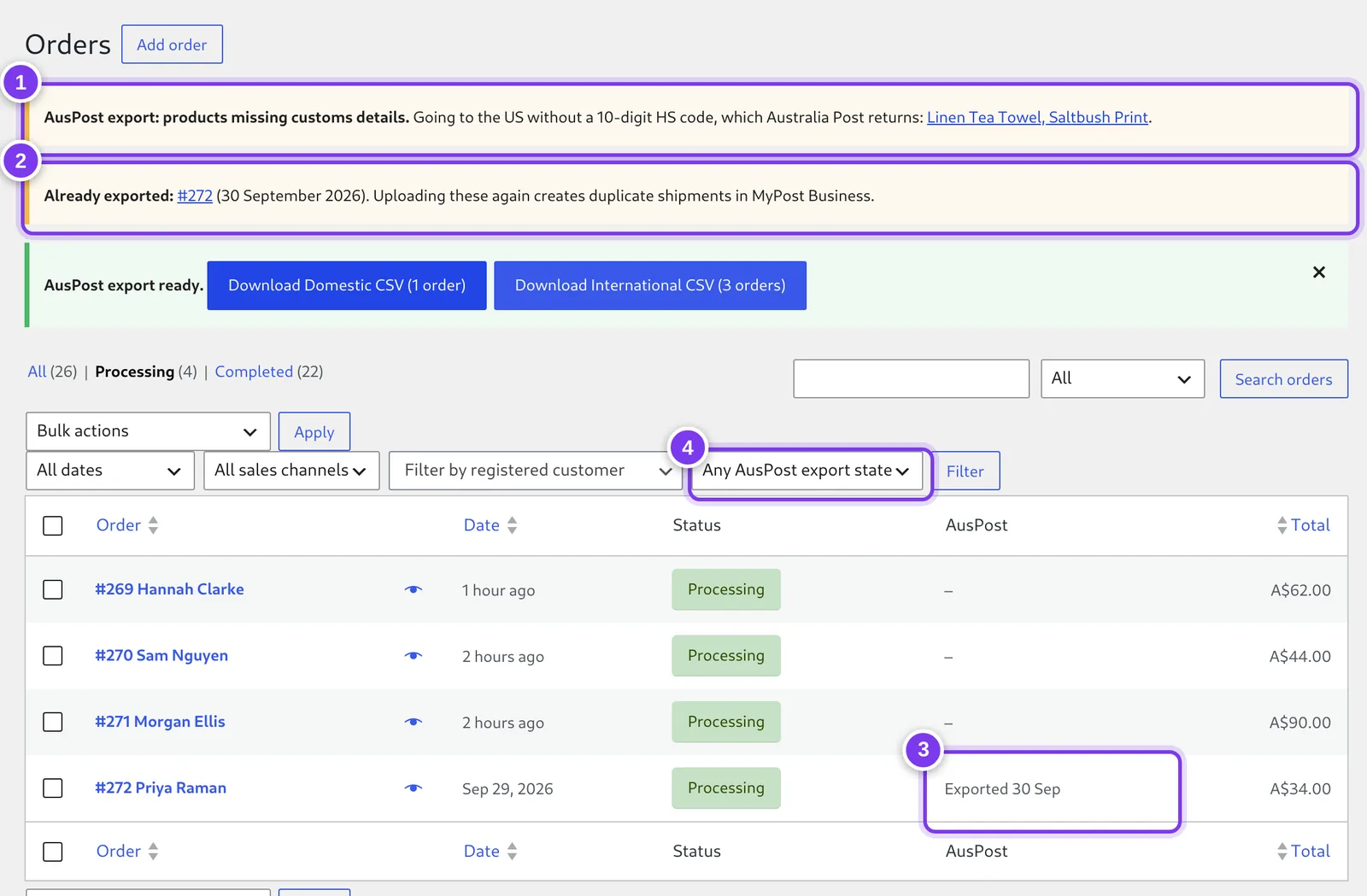
- Names any product about to go to the US without a 10-digit code, linked so you can fix it.
- Flags orders that were already exported, because uploading them to MyPost Business again books duplicate shipments.
- Each order is marked when its manifest is downloaded.
- Filter the Orders list to what hasn’t been exported yet.
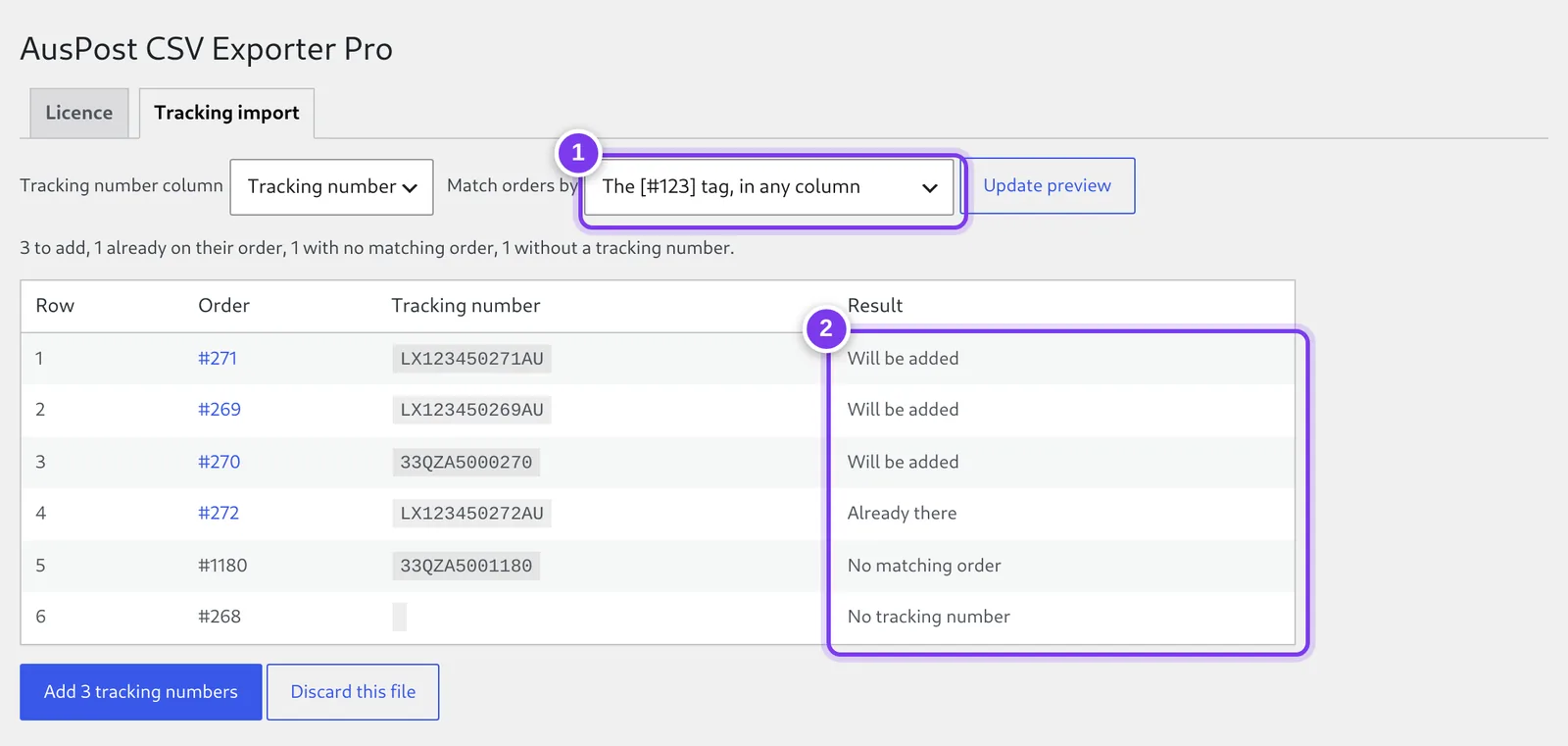
- Rows are matched to orders by the [#123] tag the exporter writes into the recipient name, or by an order number column you pick.
- A preview shows what will change, and nothing is saved until you confirm. Customers then see the tracking link on their order page and in later order emails.
Screens from a test store. The products, orders and customers are invented. Click or tap a screen to see it full size.
What Pro adds
- 🛃 Customs per product: A customs description, HS tariff code and US HS code on each product, variation or category. The most specific value wins (variation, then product, then category) and your store-wide values fill the gaps.
- 🇺🇸 10-digit codes for the US: Parcels to the US and its territories use each product’s US code, and the export names any product that would go without a 10-digit one.
- 📝 Specific descriptions, automatically: With no customs description set, each content line uses the product’s own name. EU customs rejects vague entries such as “goods” or “merchandise”, and product names avoid that without extra typing.
- ✅ Export tracking: Orders are marked when their manifest is downloaded, with an order note. The Orders screen gets an AusPost column and a “not yet exported” filter, and you are warned before downloading orders that were already exported.
- 🚚 Tracking-number import: Upload a CSV that lists tracking numbers against your orders. Rows are matched by the
[#123]tag the exporter writes, or by an order number column, previewed, then saved. Customers get their tracking link on their order page and in later emails, and can be emailed a tracking note straight away. - 🔄 Updates from your dashboard: New versions arrive through the normal WordPress Updates screen while the licence is active.
What happens after you buy
- Pay. Checkout is by Stripe. There’s no account to create, and prices are in Australian dollars.
- Get your key. It’s shown on screen straight away and emailed to you. It starts with
APCSVP-. - Download. Use the download link on that page, or come back here any time and download with your key.
- Install. Plugins → Add Plugin → Upload Plugin, then activate it. The free Bloodweb CSV Exporter for Australia Post (4.2.0 or later) needs to be active too.
- Paste the key under WooCommerce → AusPost CSV Pro and press Activate. Done: the customs fields appear on your products, variations and categories.
The setup guide walks through each step and the three settings that matter. It takes about ten minutes.
🔑 How licensing works
Pro is a subscription that renews automatically at the end of each month or year, depending on the plan you choose. A licence covers one live site, or up to 5 with the agency licence. Local development sites (localhost, .local, .test) are free and never use up the licence. Moving to a new address? Deactivate the key on the old site and activate it on the new one.
If you cancel, Pro keeps working until the end of the month or year you’ve paid for, then switches off. The free exporter keeps working either way, and your per-product customs values stay stored on your products, so renewing switches Pro straight back on.
14-day money-back guarantee. If Pro isn’t right for your store, email support@bloodweb.net within 14 days of buying and you get a full refund. The licence is switched off when the refund goes through.
Requirements
- Bloodweb CSV Exporter for Australia Post 4.2.0 or later, installed and active
- WooCommerce 3.0 or later, WordPress 5.8 or later, PHP 7.4 or later